|
|
 |
 |
| |
 |
|
|
|
|
|
|
| |
 |
|
|
 |
|
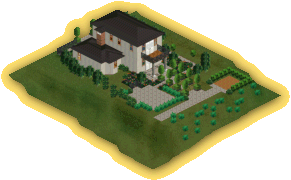
"Mockingbird
House"
|
|
|
| |
|
This house contains 2 double
bedrooms, 2 bathrooms, a kitchen, living room and a study. A shed is
provided to help store all those gardening tools. The gardens have been
planted with simple wild flowers, it also contains a dinning and Jacuzzi
area.
|
|
| |
|
Built by "
 "
"
|
|
|
|
|
|
| |
 |
|
|
|
|
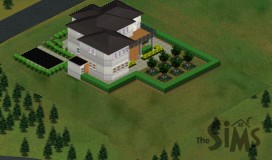
"Apple
tree Heights"
|
|
|
| |
|
This house has 2 bedrooms, a kitchen, 2 bathrooms,
living room and a dinning room. There is an upper balcony overlooking
the small Apple tree grove at the rear of the house. There is also a
shed at the side of the house and a car port at the front.
|
|
| |
|
Built by "
"
|
|
|
|
|
|
| |
|
|
|
|
|
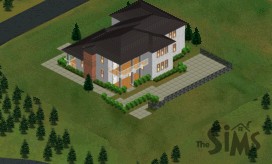
"Hill
Crest"
|
|
|
| |
|
This house has five bedrooms, six bathrooms, combined kitchen and dining
room, living room and a study.
|
|
| |
|
Built by "
"
|
|
|
|
|
|
| |
|
|
|
|
|
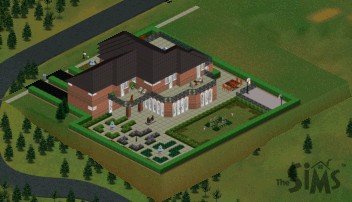
"Four
Acres Manor"
|
|
|
| |
|
This house contains an indoor swimming pool,3 bedrooms with on-suit
bathrooms, kitchen, dinning-room, lounge, conservatory and 2 garages.
There is still some room left for expansion.
|
|
| |
|
Built by "
"
|
|
|
|
|
|
| |

|
|
| |
-
-
If
you have already downloaded Simaniser
and the ForSale
add-on, all you need to do is set your download directory to the
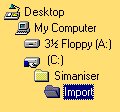
Import folder which is inside your Simaniser directory e.g.. C:\Simaniser\Import\
-
If
you haven`t downloaded and setup up Simaniser and the ForSale add-on
yet then it gets a bit more complicated:
- Download
the selected house to your usual download directory.
- Then
go into that directory and double click on the house file you have
just downloaded.
- The
file will then extract it`s self creating a folder called import.
- Open
this folder and you should see another folder open this one as well.
- You
should then be able to see a house file named House with some numbers
after it.
- You
need to then copy this file into your Userdata\Houses\ folder inside
your Sims folder.
- The
next time you play The Sims the house should be ready for you to
use.
Important,
if you already have a house on a plot of land that your new house needs,
it will be deleted. This only applies to the
second method of installing houses.
|
|
|
|
|
|
|
|
|
|