|
|
 |
 |
| |
 |
|
|
|
|
|
|
| |
 |
|
|
 |
|
"The
Apartments"
|
|
|
| |
|
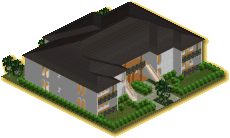
Luxury 4 apartment complex,
each unit has 2 double en-suit bedrooms, kitchen\social area and verandah`s
for your Sims outside pleasure.
"the view from here is breath taking...",
love Marg, another happy customer.
|
|
| |
|
Built by "
 "
"
|
|
|
|
|
|
| |
 |
|
|
|
|
"The
Hideaway"
|
|
|
| |
|
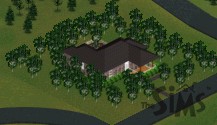
Well if your Sims are new
to the neighborhood then this house should be right up there street.
There is only enough room for two people to live in it. The house contains
a bedroom, an outside toilet and a combined kitchen/dinning room/living
room. At the front of the property there is a verandah.
|
|
| |
|
Built by "
"
|
|
|
|
|
|
| |
|
|
|
|
|
"The
Stratford"
|
|
|
| |
|
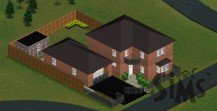
This conveniently located, detached home has
a reception room, kitchen, three bedrooms (master bedroom has en-suite
bathroom) and dinning room. A single garage is tucked away at the side
of the house. The rear garden sports a shed.
|
|
| |
|
Built by "
"
|
|
|
|
|
|
| |
|
|
|
|
|
"The
Classic"
|
|
|
| |
|
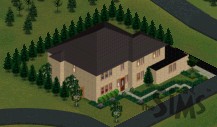
The four bedroom Classic also has 3 on-suit bathrooms, a large living
room, a family room, a dinning room a kitchen, mud room and a garage.
The front garden has a mixture of daffodils and wildflowers. The rear
garden is surrounded by Pine trees providing a natural wind break.
|
|
| |
|
Built by "
"
|
|
|
|
|
|
| |

|
|
| |
-
-
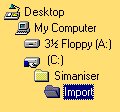
If
you have already downloaded Simaniser
and the ForSale
add-on, all you need to do is set your download directory to the
Import folder which is inside your Simaniser directory e.g.. C:\Simaniser\Import\
-
If
you haven`t downloaded and setup up Simaniser and the ForSale add-on
yet then it gets a bit more complicated:
- Download
the selected house to your usual download directory.
- Then
go into that directory and double click on the house file you have
just downloaded.
- The
file will then extract it`s self creating a folder called import.
- Open
this folder and you should see another folder open this one as well.
- You
should then be able to see a house file named House with some numbers
after it.
- You
need to then copy this file into your Userdata\Houses\ folder inside
your Sims folder.
- The
next time you play The Sims the house should be ready for you to
use.
Important,
if you already have a house on a plot of land that your new house needs,
it will be deleted. This only applies to the
second method of installing houses.
|
|
|
|
|
|
|
|
|
|