|
|
 |
 |
| |
 |
|
|
|
|
|
|
| |
 |
|
|
| |
|
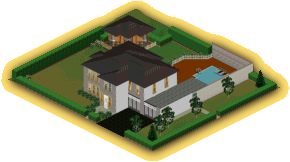
House:
3 bedrooms, 2 bathrooms, 2 toilets, kitchen, dining room, living-room,
shed and double garage.
Outside:
Large swimming pool and Summer house.
|
|
| |
|
Built by "
 "
"
|
|
|
|
|
|
| |
 |
|
|
| |
|
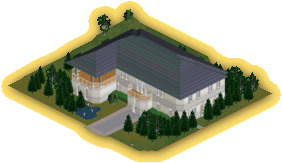
There is enough room in
this house for a large family. The house contains 3 bedrooms, 3 bathrooms,
a kitchen, dining room, living-room and a study. The front of the house
contains a small pond and the west wing has a large balcony for those
Sim parties.
|
|
| |
|
Built by "
 "
"
|
|
|
|
|
|
| |
|
|
|
 |
|
"Hawthorne
Place"
|
|
|
| |
|
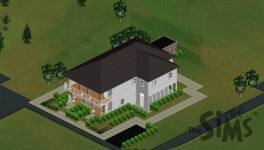
There is enough room in this house for a large
family. The house contains 4 bedrooms, 3 bathrooms, a kitchen, dining
room, study, living-room and a conservatory. The gardens are planted
with low maintenance flowers and Hawthorn bushes, they also contain
a shed and single parking bay.
|
|
| |
|
Built by "
"
|
|
|
|
|
|
| |
|
|
|
|
|
"Santos
Manor"
|
|
|
| |
|
This house has two bedrooms, three bathrooms, kitchen, dinning room,
living-room and study. The gardens have been landscaped and there is
also a swimming pool for those hot summer days.
|
|
| |
|
Built by "
"
|
|
|
|
|
|
| |

|
|
| |
-
-
If
you have already downloaded Simaniser
and the ForSale
add-on, all you need to do is set your download directory to the
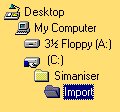
Import folder which is inside your Simaniser directory e.g.. C:\Simaniser\Import\
-
If
you haven`t downloaded and setup up Simaniser and the ForSale add-on
yet then it gets a bit more complicated:
- Download
the selected house to your usual download directory.
- Then
go into that directory and double click on the house file you have
just downloaded.
- The
file will then extract it`s self creating a folder called import.
- Open
this folder and you should see another folder open this one as well.
- You
should then be able to see a house file named House with some numbers
after it.
- You
need to then copy this file into your Userdata\Houses\ folder inside
your Sims folder.
- The
next time you play The Sims the house should be ready for you to
use.
Important,
if you already have a house on a plot of land that your new house needs,
it will be deleted. This only applies to the
second method of installing houses.
|
|
|
|
|
|
|
|
|
|